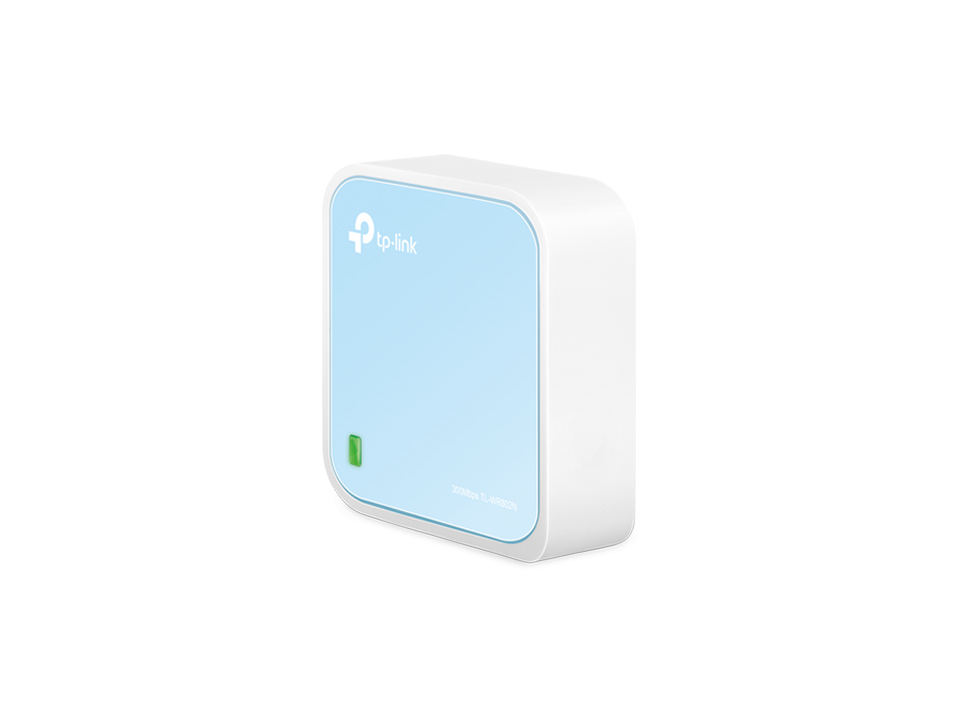

REVIEW: The best yet most affordable network switch (TPLink WR902AC)

20 MHz channel width.
Manual channel selection rather than auto.
Transmit power reduced to the lowest level that remains stable.
LEDs turned off.
All nonessential services disabled
I looked through the V4 configuration screens, but did not see these options. Please explain how we civilians can accomplish your recommended changes. Thanks.
 
  • Like
Reactions: keithc
Success. Taking your suggestion before dragging my old windows laptop out I tried again on my iPhone. I omitted http:// from the address when I entered it in Safari and it worked. It was a PITA using my phone for this kind of thing but I completed the setup process with no apparent problem.
Right on. You had better luck than I, but it might be because I opted for the travel router that supports gigabit. The instructions Keith provided can’t be performed exactly as described. Frustrating as heck so I will likely bail on it.

I did also purchase the recommended device so I will likely try configuring that instead.
 
I looked through the V4 configuration screens, but did not see these options. Please explain how we civilians can accomplish your recommended changes. Thanks.
One practical note from trying this myself. On the WR902AC, many of the useful WiFi and system settings are only accessible when the unit is in AP mode. In client mode, the interface is much more limited it seems. Sofar I played with the settings w/o audible conclusions yet.

What seems to work best is to first put the WR902AC in AP mode, exactly as in @keithc setup instructions , adjust the relevant settings, and only then switch it to client mode. Some use the software setting, others use the physical switch on the side. Both seem to work, but switching modes can reset or partially overwrite earlier settings, so it is worth double checking afterward.

In my case I also lost settings once when changing modes, so it is important to go back and verify things like transmit power, channel width, and LEDs after the final mode switch. So I did not find a reliable way to see if settings are applied. But for example the LEDs stay off also once switched to client mode.
 
For people who want to take this project further, you may consider trying this model "TL-WR802N" instead. This is wireless N only router and has no external USB port feature so:

1. You don't need to turn off 5GHz function (and N module only sounds cleaner than module with 5GHz support)
2. You don't need to turn off USB feature

Also, this WR802N model has better build quality for internal components, better antenna reception. There's no actual merit to buy WR902AC just to disable 5GHz mode and USB feature when you can buy WR802N that came without one. Less internal noise and also cheaper too.

WR802N model is still active with firmware updates being rolled out in this year 2025 too. So I believe it shouldn't be hard to find this model and try one. You can check the details from here.


Testing AP mode on WR702N today made me wondered how much I can improve it with hardware modding. OpenWRT is also working with WR802N too so I will buy one to play around with later.

Regards,
Keetakawee
 
For people who want to take this project further, you may consider trying this model "TL-WR802N" instead. This is wireless N only router and has no external USB port feature so:

1. You don't need to turn off 5GHz function (and N module only sounds cleaner than module with 5GHz support)
2. You don't need to turn off USB feature

I'm confused -- you posted about how you found wifi to be lower performing than hardwire but yet you're recommending the WR802N?
 
I'm confused -- you posted about how you found wifi to be lower performing than hardwire but yet you're recommending the WR802N?

I didn't find client mode working well in my system but I did say access point mode can improve performance in my system compared to stock router. In real life I use both wired and wireless so I don't see the point to antagonize WiFi unless I can live with USB to ethernet adapter on my iPad, which I don't lol.

If someone finds WR902AC performing good in his system, trying WR802N should perform better for audiophile purposes with reasons I explained in previous post.

I recommended WR802N model because you're recommending people to buy WR902AC and turn off 5GHz WiFi and USB port feature to reduce noise. So why not buy WR802N that doesn't come with 5GHz and USB port feature in the first place?

Regards,
Keetakawee
 
In this setup, even with normal ethernet cable from network switch and USB power from streamer can improve audio performance over WiFi from modem router provided by internet service provider.

Why? Because my iPad is communicating with low powered and isolated wifi access point running on lowest latency mode so this reduces workload and interference on modem router.

Since most streamers often come with USB port and have good power supply feeding it, plugging USB port from streamer directly can sound better than free noisy switching adapter. You might not even need power bank but good one will help no doubt.

By the way, please pick power bank carefully. From my past tests with USB powered devices like HiFace usb to SPDIF converter, some power bank can actually sound worse than USB from streamer. Anker is okay in general but different models can sound different too. I chose Panasonic's specific model for audio purposes after comparing a few power bank I bought in Japan.

Regards,
Keetakawee
 

Attachments

  • IMG_20251218_045351606.jpg
    IMG_20251218_045351606.jpg
    568.6 KB · Views: 0
Last edited:

About us

  • What’s Best Forum is THE forum for high end audio, product reviews, advice and sharing experiences on the best of everything else. This is THE place where audiophiles and audio companies discuss vintage, contemporary and new audio products, music servers, music streamers, computer audio, digital-to-analog converters, turntables, phono stages, cartridges, reel-to-reel tape machines, speakers, headphones and tube and solid-state amplification. Founded in 2010 What’s Best Forum invites intelligent and courteous people of all interests and backgrounds to describe and discuss the best of everything. From beginners to life-long hobbyists to industry professionals, we enjoy learning about new things and meeting new people, and participating in spirited debates.

Quick Navigation

User Menu

Steve Williams
Site Founder | Site Owner | Administrator
Ron Resnick
Site Owner | Administrator
Julian (The Fixer)
Website Build | Marketing Managersing